Program · Create with AI · Project ideas

Project ideas

Thirty ideas to get started, in eight families. They are ideas, not assignments: your project comes from what you care about, alone or in a group, with AI, without AI or about AI.

Choose the look:
See the styles full size →

Project ideas — “Create with AI” (formerly «Hacer con IA»)

These are ideas, not assignments. Nobody hands you one. They are here so you can see how far a year-long project can go, and so you can take the spark of one, mix it with another or set it aside. Your project comes from what you care about — what you do without anyone asking, what bothers you or is missing, what you would like to know how to do — not from this list (criterion C1). If an idea looks like yours, ask yourself what yours would have that this one doesn't: that answer is already part of your project.

Every idea can be done alone or in a group, and with AI, without AI or about AI. In all of them, the decisions — what gets made, for whom, what stays, when it is finished, what is shown — are yours, not the tool's.

How to read each idea

  • Minimum version — the smallest thing that would already be the project, and that could exist by November.
  • How far it can go — the milestones of the year: in February, someone else tries it; in April, someone really uses it (and, if you and your family consent, it is published on the web); in June, it is shown. The months are a purpose, not a deadline: arriving earlier or later is noted, never penalised.
  • What it could be made with — tool categories; you choose the specific ones in your tools decision, around Unit 04 or 05.
  • What you learn — what the project leaves you with even if it does not come out perfect.
  • Watch out — what protects the person making the project and the person using it.

What it is really built with

Your project can be something that exists outside the room: saved, connected, with memory and published. The enabled options, according to the reading of each service's terms done on 28 September 2026 (they are re-read at every review, and can change):

  • Where your project lives: a GitHub repository inside the program's organisation, which keeps its history and shows who did what.
  • Where it is published: Firebase Hosting in program projects (you join as a guest), GitHub Pages (on the free plan the repository is public, so nothing personal inside) or Netlify on the program's account.
  • Where it remembers: JSON files in the project, the browser's storage, or a cloud database in a program Firebase project.
  • Which AI models it can use: the ones offered by the program's gateway, which keeps the keys and makes the requests for you. As of that date, OpenAI, Anthropic and Groq are enabled; the other providers are still pending or are not enabled. You never need to open an account with an AI company, and no key goes in your code.

None of this is mandatory. A paper project, a sound project or a handmade one loses nothing by not using it.

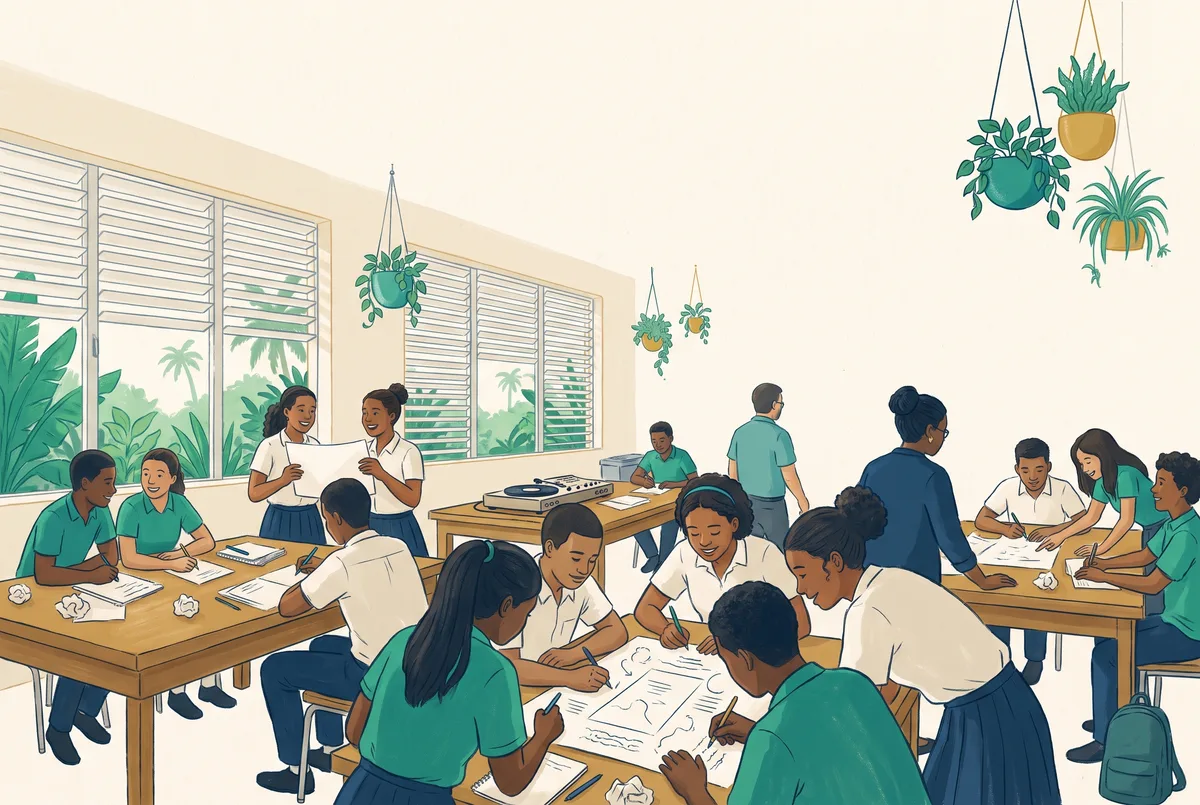
Sound

The soundtrack of a place

A piece of music that sounds like a place you know — the bus stop at seven, the kitchen on a Sunday, the court at dusk.

  • Minimum version: 30 seconds that someone at your table recognises as «that place» without being told, with a structure you decided.
  • How far it can go: in February, three people listen and say which place they hear; in April, a soundtrack of three or four places that someone actually plays; in June, we listen to it with the story of how it was made.
  • What it could be made with: an audio editor without AI to record and cut real sounds (no one's voice), a music generator to try textures, your own instrument.
  • What you learn: that sound tells things; structure, rhythm and layers; deciding which part the machine does and which it doesn't.
  • Watch out: record places, not conversations: no recognisable voice without its owner's consent.

Two worlds mixed

Bringing together two genres that almost never meet — a merengue with a Gregorian choir, a bolero with synthesisers — and making them understand each other.

  • Minimum version: a 30-second transition between the two worlds that works.
  • How far it can go: in February, someone who loves one of the two genres judges it; in April, a full mix that other people ask to hear again; in June, it is shown with its credits: what is yours, what the tool generated and which styles you started from.
  • What it could be made with: an audio editor, a music generator for the parts you cannot play, freely licensed samples.
  • What you learn: tempo, key and harmony by ear; copyright and licences; honest credits.
  • Watch out: no one else's tracks without a licence; no voice is ever cloned.

A one-question podcast

A short episode that chases a single question you care about, all the way to the end.

  • Minimum version: a three-minute script with the question, two verified sources and a provisional answer, recorded in your voice.
  • How far it can go: in February, someone listens and says what they didn't understand; in April, a series of three episodes with real listeners; in June, published if there is consent.
  • What it could be made with: an audio editor, a conversational assistant to find counter-arguments (which you then verify), a generic synthetic voice if you don't want to use your own.
  • What you learn: researching and citing; writing for the ear; separating what you know from what you believe.
  • Watch out: your published voice needs your family's consent; every figure, with its source.

A song with your own lyrics

The lyrics are yours, word for word; the tool helps you with what you don't know how to do yet.

  • Minimum version: a verse and a chorus written by hand, with their melody hummed or played.
  • How far it can go: in February, two different arrangements of the same song and one person who chooses; in April, the finished song that someone sings; in June, it is shown with the list of who did what.
  • What it could be made with: pencil and paper first; a music generator to try arrangements; an audio editor.
  • What you learn: metre and rhyme; what makes a song memorable; standing up for your lyrics against what the machine «suggests».

Image and story

Anime pilot episode

The first minutes of a series that doesn't exist, with characters you invented.

  • Minimum version: a 30-to-60-second scene, or a six-panel storyboard, with two original characters and their conflict.
  • How far it can go: in February, someone watches it and tells what they understood about the characters; in April, a short episode with music and voices; in June, it is screened with «how it was made and where it failed».
  • What it could be made with: paper for the script and the designs; an image or video generator for scenes; a video editor; a conversational assistant to discuss the script (which you write).
  • What you learn: script, framing, pacing; keeping a character consistent from scene to scene; style credits.
  • Watch out: no real faces or names; if you start from someone else's style, you say so.

A fairy tale turned around

A classic tale told from another character, in another place or with another rule of the world.

  • Minimum version: one page of text and one illustration that show the twist.
  • How far it can go: in February, a reader of another age reads it and tells you where they got lost; in April, a short illustrated book or a narrated version; in June, published if there is consent.
  • What it could be made with: your writing; an image generator for the illustrations; a simple web page to read it online.
  • What you learn: the structure of a story; point of view; how the meaning changes when the teller changes.

One comic page a week

One character, one page, every week: a strip that grows.

  • Minimum version: three pages with the same recognisable character.
  • How far it can go: in February, someone is waiting for the next page; in April, a site where the whole strip can be read; in June, the first and the last page are shown side by side.
  • What it could be made with: pencil and paper, a scanner or a camera; an image generator for backgrounds; GitHub Pages or Netlify to publish it.
  • What you learn: consistency; narrative economy; how something is published in instalments.

A character with rules

A digital character that can be customised — its look, the way it talks, what it knows — and that remembers its settings, but is not a friend or a companion.

  • Minimum version: the character's rules infographic (what it does, what it doesn't, how it says goodbye) and a first conversation that follows them.
  • How far it can go: in February, someone else tries to push it out of its rules and you note where it broke; in April, someone uses it for what it was made for (practising a language, explaining a topic, telling a story) and the character remembers its settings; in June, it is shown with its rules in view.
  • What it could be made with: a model through the program's gateway; a program database or JSON for the settings; a web page to talk to it.
  • What you learn: what a system instruction is; why a character needs limits; how state is saved.
  • Watch out: it says it is an AI at the start; it says goodbye at the end of the session; never a simulated relationship, language designed to keep you there or dependency mechanics; nothing personal in what it remembers.

Game

A puzzle that builds itself

A puzzle generator — logic, word or piece puzzles — where you invent the rules and the machine makes the levels.

  • Minimum version: three written rules and ten puzzles solved on paper by someone else.
  • How far it can go: in February, an on-screen version that someone plays without you explaining anything; in April, levels that are generated and always have a solution; in June, published so anyone can play it.
  • What it could be made with: paper first; an interactive-page generator or a coding assistant; JSON for the levels.
  • What you learn: rule design; logic; how to check that a problem has a solution.

A one-mechanic video game

A game that does one thing and does it well: jump, dodge, fit, hide.

  • Minimum version: one playable screen with the mechanic and a way to lose.
  • How far it can go: in February, someone tries it in a short turn and you note where they get frustrated; in April, three levels and a score that is saved; in June, published with its credits.
  • What it could be made with: paper for the rules; a playable-page generator or a coding assistant; an image or sound generator for the assets; a program database for the scores.
  • What you learn: that fun is designed; testing, watching and changing; code you understand and can explain.
  • Watch out: if it saves scores, no real names; prototypes are tried in short turns.

Board game with a digital referee

A game played at the table, with real pieces, and a screen that only acts as referee, narrator or bank.

  • Minimum version: a paper board, three rules and a complete game played by other people.
  • How far it can go: in February, a game where the screen keeps the count; in April, someone plays it at home with the instructions you wrote; in June, it is played at the showcase.
  • What it could be made with: cardboard, dice, paper; an interactive page for the referee; a model through the gateway if you want it to narrate.
  • What you learn: game balance; writing instructions someone understands without you; what is worth doing with a machine and what isn't.

Paper-and-screen escape room

An escape room with physical clues and a digital lock.

  • Minimum version: three chained clues that someone solves in ten minutes.
  • How far it can go: in February, a group tries it and tells you which clue was unfair; in April, a version another group plays; in June, at the showcase.
  • What it could be made with: paper, envelopes, objects from the room; a web page with the lock; an image generator for the «found» documents.
  • What you learn: clue design; thinking like the player; logical sequences.

Tool

The app that reminds you of one thing

A small app that helps you not forget what you always forget — watering the plant, drinking water, reviewing before the test.

  • Minimum version: one screen that does one useful thing for one real person.
  • How far it can go: in February, someone uses it for a week and tells you what's unnecessary; in April, it remembers its settings and says clearly what it saves; in June, published if there is consent.
  • What it could be made with: an interactive-page generator or a coding assistant; the browser's storage or a program database; Firebase Hosting, GitHub Pages or Netlify to publish it.
  • What you learn: designing for someone; what an app's memory is; privacy notices people understand.
  • Watch out: no personal data about other people; if it saves something, it says so.

A tool for a trade

An app for someone who works: estimating a quote in a workshop, organising shifts in a hair salon, converting measurements on a building site.

  • Minimum version: one screen that solves a calculation or a task of that trade, with made-up data.
  • How far it can go: in February, someone from the trade looks at it and corrects you; in April, that person uses it for a real task; in June, it is shown with what changed because of that use.
  • What it could be made with: a spreadsheet for the model; a coding assistant; a model through the gateway if it needs to draft or summarise; publishing in a program project.
  • What you learn: listening to whoever will use what you make; translating real work into steps; what gets automated and what doesn't.
  • Watch out: no real customers' data; if it gives money figures, show how they are calculated.

Your review assistant

A tool that takes your notes and asks you questions about them, instead of giving you the answers.

  • Minimum version: ten questions you wrote on a topic and a page that asks them and tells you what to review.
  • How far it can go: in February, it generates new questions from notes someone else gives it; in April, someone uses it before a real assessment; in June, it is shown together with the mistakes it had to correct.
  • What it could be made with: a model through the gateway; JSON for question banks; a web page.
  • What you learn: that asking well is learning; why to verify what a model generates; designing feedback.
  • Watch out: it must not do anyone's homework: it asks, it doesn't answer.

Tune up your computer

An installable application that checks a computer — space, startup programs, temperature, what can be cleaned — and explains it in plain words.

  • Minimum version: a report that reads three facts about the machine and explains them, without changing anything.
  • How far it can go: in February, it suggests adjustments and asks for confirmation before each one; in April, an installer tested on a program computer; in June, it is shown with its notice and its credits.
  • What it could be made with: a coding assistant; a language that can read system data; a local database for the history.
  • What you learn: how a computer works inside; permissions and security; packaging an application.
  • Watch out: it is tried first on a program computer; never on someone else's without the owner's permission; it changes nothing in the system without the user confirming it.

Money and data

Practice shop

A complete online shop — catalogue, prices, cart — that runs on simulated money.

  • Minimum version: a catalogue of six made-up products, with your own photos or drawings and thought-through prices.
  • How far it can go: in February, someone «buys» and tells you where they hesitated; in April, a cart, stock and a dashboard of simulated sales; in June, it is shown with its numbers and what you learned from them.
  • What it could be made with: a spreadsheet for costs and margins; an image generator for products; a program database; publishing in a program project.
  • What you learn: cost, price, margin; how a purchase is designed; why a shop lives on its data.
  • Watch out: no real money, no payments, no accounts in your name; no data from real buyers.

A brand from scratch

Name, logo, voice and an imagined product: everything that makes a brand recognisable.

  • Minimum version: a name, a logo and three sentences your customers would say.
  • How far it can go: in February, people from outside choose between two versions and explain why; in April, a brand site and a simulated business plan; in June, it is presented the way it would be to an investor, with simulated numbers.
  • What it could be made with: paper for sketches; an image generator; a spreadsheet; a web page.
  • What you learn: visual identity; who something is for; how a plan is built with its assumptions in view.
  • Watch out: nothing that imitates a real brand; simulated money; no promises of profit.

Practice portfolio

Investing imaginary capital using real public market data and following what happens.

  • Minimum version: a dashboard with five assets, public data cited with its source and the written reason for each choice.
  • How far it can go: in February, you compare your choices with a simple strategy and someone else discusses them; in April, a tool that records decisions and results, with a visible notice; in June, what you got right and what you didn't is shown.
  • What it could be made with: a spreadsheet; real public data, cited; a coding assistant; a model through the gateway to explain terms.
  • What you learn: risk, diversification, what a prediction is and isn't; reading financial data with its source.
  • Watch out: always simulated money; if the tool gives recommendations, it shows «this is not financial advice; for learning purposes» and never promises returns.

A dashboard of your favourite data

Statistics about what you're passionate about — a sport, the music that plays most, your city's weather — turned into a dashboard that tells something.

  • Minimum version: one chart with collected or public data, cited, and a sentence that says what it shows.
  • How far it can go: in February, someone reads the dashboard without your help and says what they understood; in April, it updates and someone really consults it; in June, published with its sources.
  • What it could be made with: a spreadsheet; real public data; a coding assistant; an interactive-page generator.
  • What you learn: mean, variation, correlation; that a chart can mislead; citing every figure.
  • Watch out: no personal data about anyone identifiable.

Can the lottery be predicted?

A probability lab that tests the idea of guessing numbers or winning bets, and shows why it doesn't work.

  • Minimum version: a simulation of a thousand fair draws and an explanation of what it shows.
  • How far it can go: in February, a «prediction machine» that someone else uses and watches fail, with the explanation beside it; in April, an explainer of how betting systems are designed so the house wins; in June, it is shown as the tool someone who believes in a system would have wanted.
  • What it could be made with: a spreadsheet; an interactive-page generator; a conversational assistant to understand concepts (which you verify).
  • What you learn: chance, independence, expected value; why a pattern in the past doesn't predict a fair draw.
  • Watch out: no real betting; nothing that promises winning; this is probability literacy, not a betting aid.

Science and models

Neurons you can see

An interactive simulation of an artificial neuron — and then of a small network — where you move the weights and watch the response change.

  • Minimum version: one neuron with two inputs on screen and an explanation someone else understands.
  • How far it can go: in February, someone from another grade learns something they didn't know with it; in April, a network that learns to separate two groups of points before the user's eyes; in June, it is published as an explainer.
  • What it could be made with: paper to draw the neuron; a conversational assistant to understand (and sources to verify); an interactive-page generator or a coding assistant.
  • What you learn: what a neural network really does; functions and weights; explaining a difficult idea.
  • Watch out: every technical claim, verified at the source; what wasn't verified isn't claimed.

Teach it to classify

A small model that learns to tell two things apart — healthy leaves from sick ones, two kinds of sound — with examples you gather.

  • Minimum version: twenty examples labelled by hand and a test that shows where it gets it right and where it fails.
  • How far it can go: in February, someone else brings new examples and puts it to the test; in April, a page where anyone can try it and see why it gets things wrong; in June, it is shown with its mistakes.
  • What it could be made with: a spreadsheet; a coding assistant; a web page.
  • What you learn: training data, bias, error; why a model only knows what it was shown.
  • Watch out: no photos of people or recognisable voices as data.

A phenomenon on your screen

A simulation of something that moves or changes — an orbit, an epidemic in an invented population, the traffic at a corner — with controls to play with it.

  • Minimum version: a simulation with one control and a sentence that explains what happens when you move it.
  • How far it can go: in February, someone predicts what will happen before moving it and compares; in April, it is used to explain a topic; in June, published with its sources and its simplifications in view.
  • What it could be made with: paper for the model; an interactive-page generator; a conversational assistant to understand the science behind it.
  • What you learn: that a model simplifies; what assumptions you made; the difference between simulating and proving.

Impossible today

No project is discarded for being impossible. If what you want to do can't be done today, it's a great topic: you choose one of three routes, and all three are a full year's project.

  • Simulate it — make it exist inside something: an animation, a game, a story, a simulation. Worked example: flying. A game in which you glide over your drawn city, with flight physics simplified but honest — lift, weight, thrust. Minimum version: a screen where a glider falls faster or slower depending on the angle of its wings. In April, someone plays it and learns why a wing holds you up.
  • Get closer — the nearest real step you can take this year with what there is. Worked example: bringing a digital character into real life. It can't leave the screen, but it can reach the room: a character designed on screen that becomes a paper figure, a poster or a board game, and a page that tells the journey. Minimum version: the character on screen and its first physical version, made by hand.
  • Understand it — research what would have to be true for it to exist, what prevents it today and who is working on it. Worked example: teleporting. A piece of research that separates what science calls by that name from what films show, what has really been achieved and what hasn't, with every claim verified in a primary source. Minimum version: a precise question and three sources read. In April, an explainer someone else understands.

Flying

  • What it is: the dream of flying, by the route you choose.
  • Minimum version: depending on the route: a scene or a game prototype (simulate it); a paper glider measured and improved with data (get closer); an explanation of why a human body can't fly on its own (understand it).
  • How far it can go: in February, someone else tries it; in April, someone uses it to learn something about flight; in June, it is shown with its sources.
  • What it could be made with: paper and materials for prototypes; an image or playable-page generator; primary sources.
  • What you learn: the physics of flight; measuring and comparing; what separates an idea from its real version.

Teleporting

  • What it is: being somewhere else in an instant, by the route you choose.
  • Minimum version: a story or a game with its rules (simulate it); an experience that «takes» you to a faraway place with real, licensed sound and images (get closer); a precise question and three sources (understand it).
  • How far it can go: in February, someone experiences or reads it and says what they felt or understood; in April, a piece other people use; in June, it is shown.
  • What it could be made with: depending on the route: image or video generators, interactive pages, primary sources.
  • What you learn: separating science from fiction; citing; building worlds with rules.
  • Watch out: on the understand-it route, nothing unverified is claimed.

Bringing something from AI into real life

  • What it is: something born on a screen — a character, an object, a generated place — that finds a physical form.
  • Minimum version: the design on screen and its first physical version made by hand.
  • How far it can go: in February, someone touches it, plays with it or uses it; in April, a second version improved by what you saw; in June, the origin and the object are shown together, with credits.
  • What it could be made with: an image generator; paper, cardboard, fabric, whatever there is; a page that tells the process.
  • What you learn: that the screen is only one step; designing with materials; credits between what was generated and what was made.

Talking with animals

  • What it is: the dream of understanding what an animal says, by the route you choose.
  • Minimum version: a story or a game where an animal talks with consistent rules (simulate it); a log of the sounds and behaviour of a nearby animal, observed respectfully (get closer); a precise question about animal communication and three verified sources (understand it).
  • How far it can go: in February, someone reads it, plays it or reviews your log; in April, a piece someone else uses to learn something; in June, it is shown with its sources.
  • What it could be made with: a field notebook; an audio editor; an image generator; primary sources.
  • What you learn: observing with method; telling what is known from what is assumed.
  • Watch out: without disturbing any animal; nothing unverified is claimed.

Without AI or about AI

«Nothing» is also an answer, and it is listened to. If you don't want to do anything with AI, you have two doors, and neither is compulsory: doing your project without AI — doing it without AI is also a result — or doing a project about AI, about what you don't like in it. Nobody tries to convince you. A project without AI gets exactly the same support as any other, with no restrictions: your creativity, your vision, your method, your process and your follow-up, with the same attention, the same reviews and the same milestones. And any idea on this page, from any family, can be done without AI.

Handmade, with the process in view

A piece made without AI — a piece of furniture, a drawing, a recipe, an acoustic song — that shows every step of how it was made.

  • Minimum version: the piece in its first version and a five-step diary.
  • How far it can go: in February, someone tries to follow your steps and tells you where they got lost; in April, an improved second version; in June, it is shown next to what a machine would have made, if you want to compare them.
  • What it could be made with: your hands, materials, an editor without AI to document it.
  • What you learn: craft; patience; what is lost and what is gained when something is made by hand.

The footprint of a question

A piece of research into how much energy and water AI uses, and a dashboard or a piece that makes it visible.

  • Minimum version: a precise question and three primary sources read and cited.
  • How far it can go: in February, someone reads your explanation and discusses it; in April, a piece other people use to decide when generating is worth it; in June, it is shown with its sources and its doubts.
  • What it could be made with: primary sources; a spreadsheet; a web page or a poster.
  • What you learn: reading studies; telling a verified figure from a repeated one; measuring.
  • Watch out: only figures verified in a primary source; what couldn't be verified is said.

What AI makes up

A collection of real mistakes by models — invented facts, quotes that don't exist — verified one by one, and a guide to spotting them.

  • Minimum version: five answers from a model checked against their source, with what it got right and what it made up.
  • How far it can go: in February, someone else uses your guide to catch a mistake; in April, a guide another group uses; in June, it is published.
  • What it could be made with: one or two models through the gateway, compared on the same request; sources; a web page.
  • What you learn: verification; why a model can sound sure and be wrong; method.

What it does with your data

Reading the terms of use of an app you use every day and telling them in words anyone understands.

  • Minimum version: a one-page summary of one service, with the original sentences quoted.
  • How far it can go: in February, someone in your family reads it and tells you what surprised them; in April, a guide to three or four services; in June, it is shown or published.
  • What it could be made with: each service's official documents; paper; a web page.
  • What you learn: that terms are a contract; reading closely; privacy.
  • Watch out: quote exactly and with the date you read them; it is not legal advice.

Evidence label. This is a design position of the “Create with AI” program (formerly «Hacer con IA»), authored by Carlos Miranda Levy (2026-09-28). These are general ideas for anyone; they do not describe any person's project or promise any result. The status of the services is the one from the reading of their terms on 28 September 2026. No figure, study or anecdote has been added to support any of the above.

← Back to the participants page

Comprehensive AI learning designed for educators, by educators. From awareness to mastery.